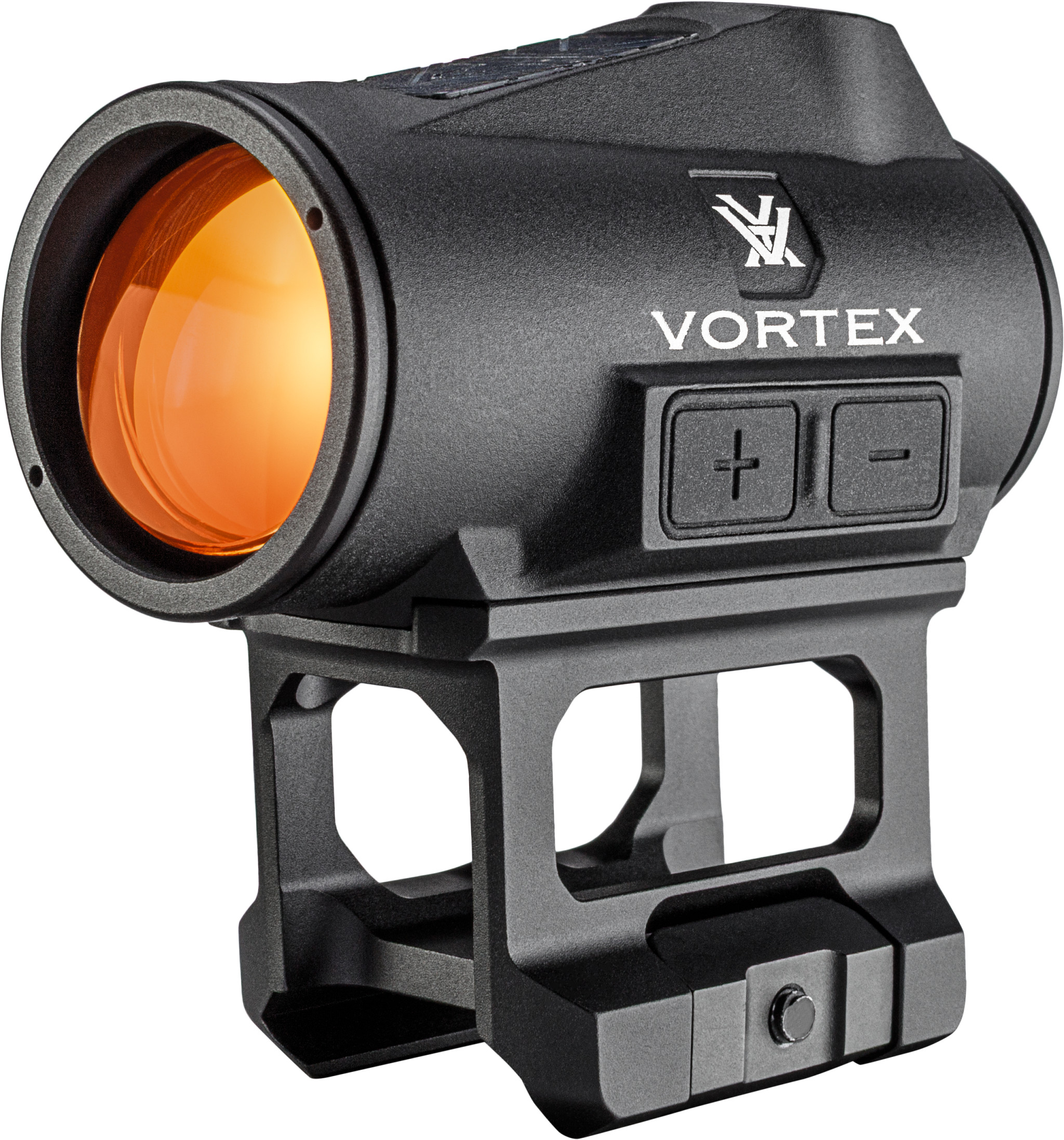
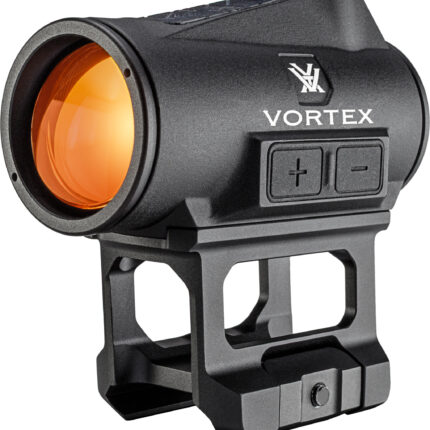
Vortex Crossfire II Solar Red Dot 2 MOA
From close-range drills or steel at distance, the Crossfire® II
is built to grow with you. Quick to set up. Simple to run.
It’s motion-activated, magnifier and night-vision
compatible. Mount it up, and make some noise
Key Features
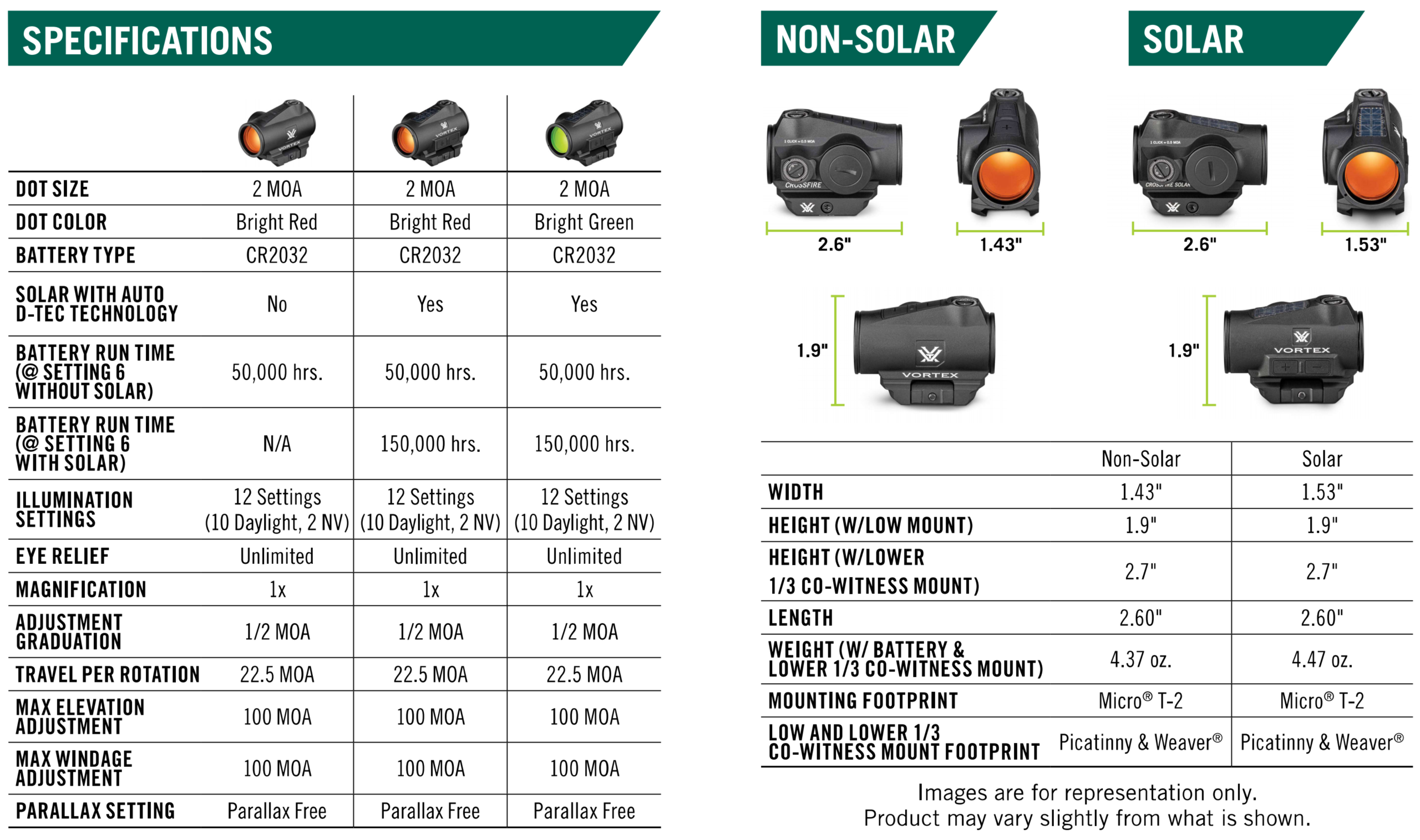
- 2 MOA DOT SIZE
- 10 DAYLIGHT AND 2 NIGHT-VISION ILLUMINATION SETTINGS
- SOLAR WITH AUTO D-TEC TECHNOLOGY (ON SELECT MODELS)
- Detects light conditions to automatically draw power from solar or battery as needed.
- MOTION ACTIVATION WITH 10 MINUTE AUTO-SHUTOFF
- Automatically activates with motion while 10 minute auto-shutoff saves battery life.
- MULTI-HEIGHT MOUNT SYSTEM
- Lower 1/3 Co-Witness Mount and Low Mount.
Q&A
- WHAT IS NEW TO THIS OPTIC?
The Crossfire® II 2 MOA red dots add more function without losing the simplicity that made the name popular. Features such as Solar with
Auto D-TEC Technology, Motion Activation, and Button-Controlled Illumination are all new features found in the Crossfire® II red dot lineup. - WHAT ARE THE TOP USES FOR THIS PRODUCT?
Recreational Shooting. - IS THIS OPTIC NIGHT-VISION COMPATIBLE?
Yes, all the Crossfire® II 2 MOA red dots have 12 illumination settings, 10 daylight settings and 2 night-vision settings - WILL BATTERY RUN TIME CHANGE BETWEEN THE RED DOT AND THE GREEN DOT MODELS?
No, on average with the Crossfire® II in constant on mode on brightness setting 6, the battery run time is 50,000 hours for both the red dot
and green dot. With the use of the Solar with Auto D-TEC technology, the battery run time is extended up to 150,000 hours (solar models only). - HOW DOES SOLAR AUTO D-TEC TECHNOLOGY WORK?
The Solar with Auto D-TEC technology detects light conditions and automatically draws power from solar, or battery as needed. - WILL THE MOTION ACTIVATION WORK IF THE UNIT IS TURNED OFF?
No. This feature is only available when the Auto-Shutoff is turned on. - CAN THE MOTION ACTIVATION FEATURE BE TURNED OFF?
Yes. Powering down the red dot manually or holding the + and – button simultaneously for three seconds will disable the motion activation.